

01
Download a local model
Choose by language, download size, phone fit, speed, and contextual understanding. Loquela verifies the package before installation.
Complete Android keyboard with optional voice
Loquela combines a full Android keyboard with local speech-to-text and models you can choose. Voice stays central without becoming mandatory.
The product
Start with the everyday capabilities. Open each section for the deeper controls and specifications.
01
Loquela keeps ordinary typing fast and familiar. Voice sits beside the correction, layout, and feedback controls people already expect from an Android keyboard.
02
Install a verified on-device speech model, including local Whisper and Parakeet options, then dictate into any editable field. Skip the download or disable voice when you only want the keyboard.
03
Local learning, sensitive-field protection, Incognito, clipboard capture, history, appearance, and diagnostics are separate decisions instead of one vague privacy switch.
How offline voice typing works
Loquela combines a complete Android keyboard with an on-device speech recognizer. After a model is downloaded, local dictation processes the recording on the phone and returns the transcript to the field where you are already typing.
01
Choose by language, download size, phone fit, speed, and contextual understanding. Loquela verifies the package before installation.
02
Android connects the selected keyboard to the focused text field, letting Loquela commit dictated text in messaging, notes, search, and other editable fields.
03
On-device transcription does not upload the recording. System, on Android 12 and later, lets your phone's own speech service listen instead, under that service's terms. A third-party API key sends the recordings you start to that provider. Downloads, app updates, accounts, purchases, and optional diagnostics can still use the internet.
How to set up offline voice typing on AndroidStart with language coverage. Then decide whether quick final text or sentence-level context matters more. A focused model can be smaller and faster, while a contextual or multilingual model may handle names, technical terms, and sound-alike words better.
Replacing a hosted recognizer takes more than a speech demo. The keyboard must record reliably, run the local model, preserve selection and cursor behavior, and insert the result cleanly into the active app.
A connected car or headset can change the microphone Android selects. Loquela exposes a source preference, but the final route and quality still depend on Android, the phone maker, and the accessory.
Download size is directly observable, while working memory and speed vary with the phone, runtime, thread count, audio length, and thermal state. Android apps also expose different editor behavior; some hide suggestions or limit surrounding context. Loquela treats estimated RAM as an estimate and degrades around restricted fields instead of assuming every app behaves alike.
Typed text, voice, personalization, clipboard history, sent-message history, diagnostics, accounts, and purchases have separate data paths. Sensitive fields suppress voice, learning, suggestions, and history. Incognito stops local learning and history capture for the keyboard session.
Catalog facts distinguish package measurements, upstream claims, planning estimates, and values that have not been measured. That prevents a model's file size from being presented as its real-world speed or memory use on every phone.
Android keyboard comparison
Gboard, SwiftKey, and FUTO are capable keyboards. Loquela's difference is bringing understandable local model choice and selected-word voice correction to ordinary Android phones.
Checked against current public documentation on July 31, 2026. “Not documented” means the linked public controls do not describe the capability; it is not a claim about private internal technology. Device, language, and app-version support can change.
Feature specifications
Features are grouped like a device specification sheet: the everyday controls stay visible, while exact limits and less common settings sit one level deeper.
Custom Boards create local phrase and symbol layouts. Full adds profiles, reusable snippets, custom accents, and deeper keyboard customization.
Installed models remain visible above recommendations. Downloads resume through Android before Loquela verifies and installs each package.
Bundled dictionary and next-word signals work without personal learning. Never correct rules and individual learned-word removal remain available.
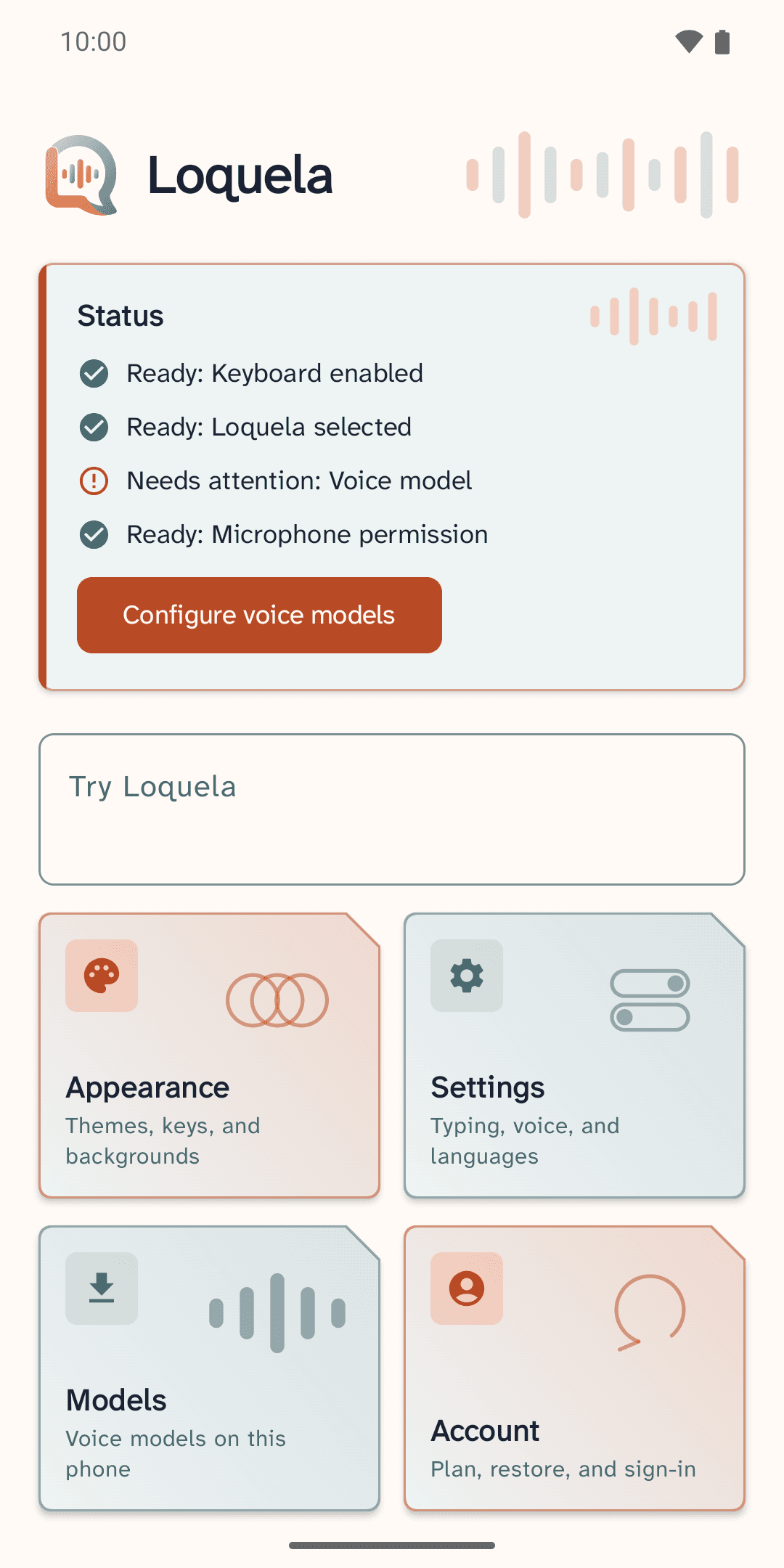
Readiness covers keyboard access and the selected input method. Microphone permission and a voice model are required only when voice is enabled.
With Full, you can connect a speech-to-text provider you choose, such as OpenAI, Groq or Mistral, using an API key from that provider. Recordings you start go directly from your phone to that provider, which bills you under its own terms. Loquela never receives the audio or the text.
Troubleshooting controls stay outside ordinary settings and can produce a bounded diagnostic export for support.
Now on Google Play